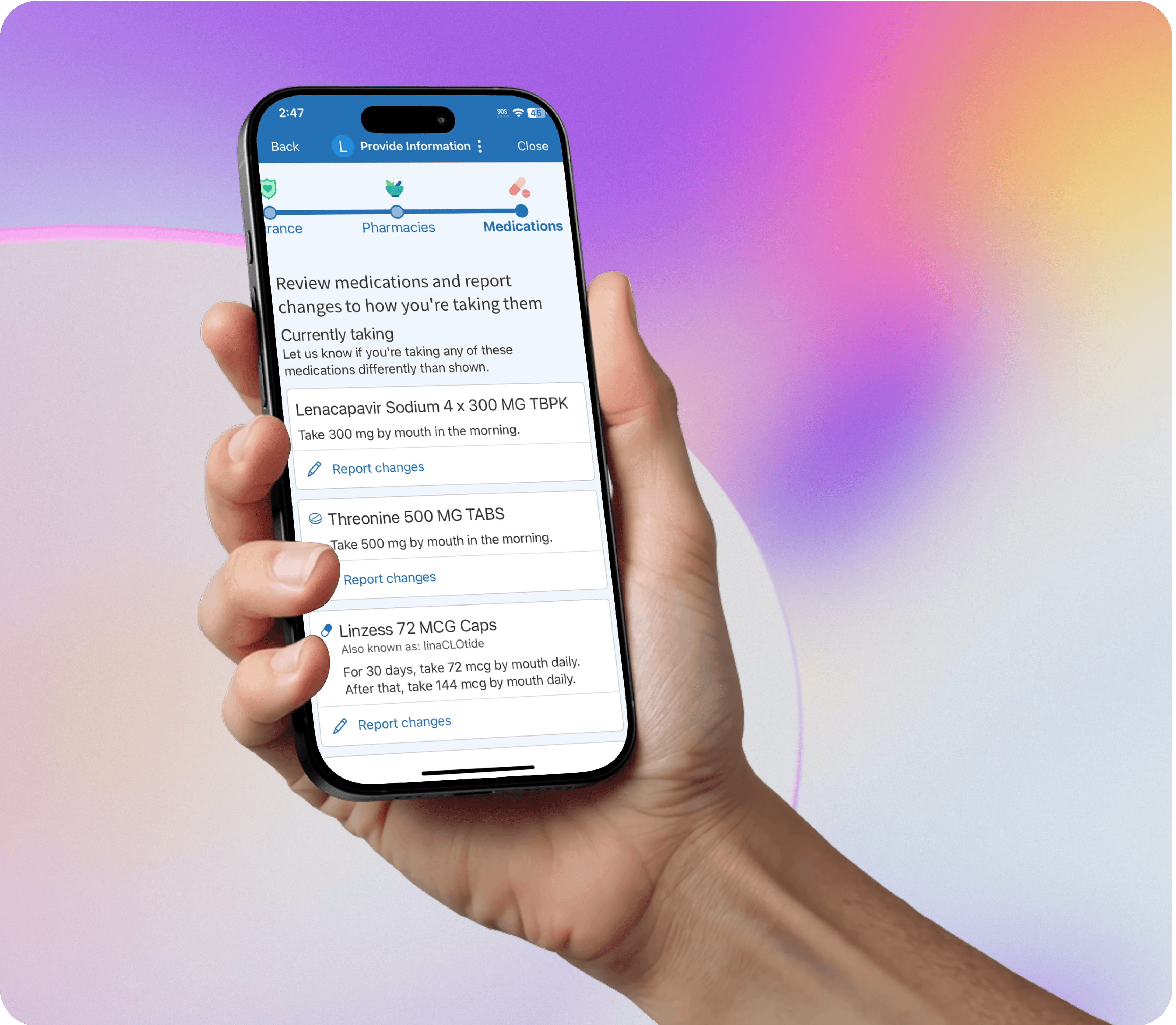
Redesigning the Medications Page in MyChart

Company

Company

Company

Epic Systems

Epic Systems

Headquarters

Headquarters

Verona, WI, USA

Verona, WI, USA

My role

My role

User Research, Design Strategy, Prototyping, UX Testing

User Research, Design Strategy, Prototyping, UX Testing

Timeline

Timeline

4 months

4 months

Dexter has a doctor's appointment coming up. He decides to complete eCheck-In so he can save time at the clinic.

He reviewed his medications in eCheck-In, but the nurse still asks about his medication during the appointment.


Why am I being asked for this information twice?

Why am I being asked for this information twice?

Why am I being asked for this information twice?

Allow patients to report any kind of medication change from MyChart

Allow patients to report any kind of medication change from MyChart

Let providers know that the patient has reviewed their medications

Let providers know that the patient has reviewed their medications

&

&

Medications are a complex area and there were several factors to consider:

What will the medication review process be like for patients with long medication lists?

We are adding a lot more functionality to this page. How do we maintain ease and simplicity for our users?


Will patients review their medications thoroughly and accurately?

How can we ensure that providers find MyChart medication review just as reliable as an in-person review with clinic staff?

How can we ensure that providers find MyChart medication review just as reliable as an in-person review with clinic staff?

To address these questions and others, I led a UX Research process:

I interviewed doctors, pharmacists, and hospital stakeholders.

1.

I wrote a task-based usability test and made an interactive, high-fidelity mockup in Figma

2.
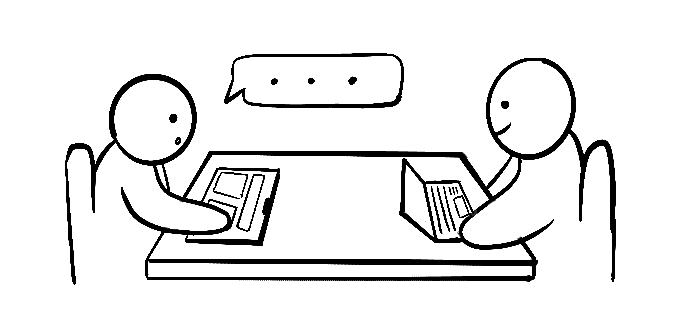
I went on-site to a hospital to run usability tests and present to a patient panel.

3.

I presented findings to the project team and recommended next steps.

4.

We leveraged these research findings to design the final product:
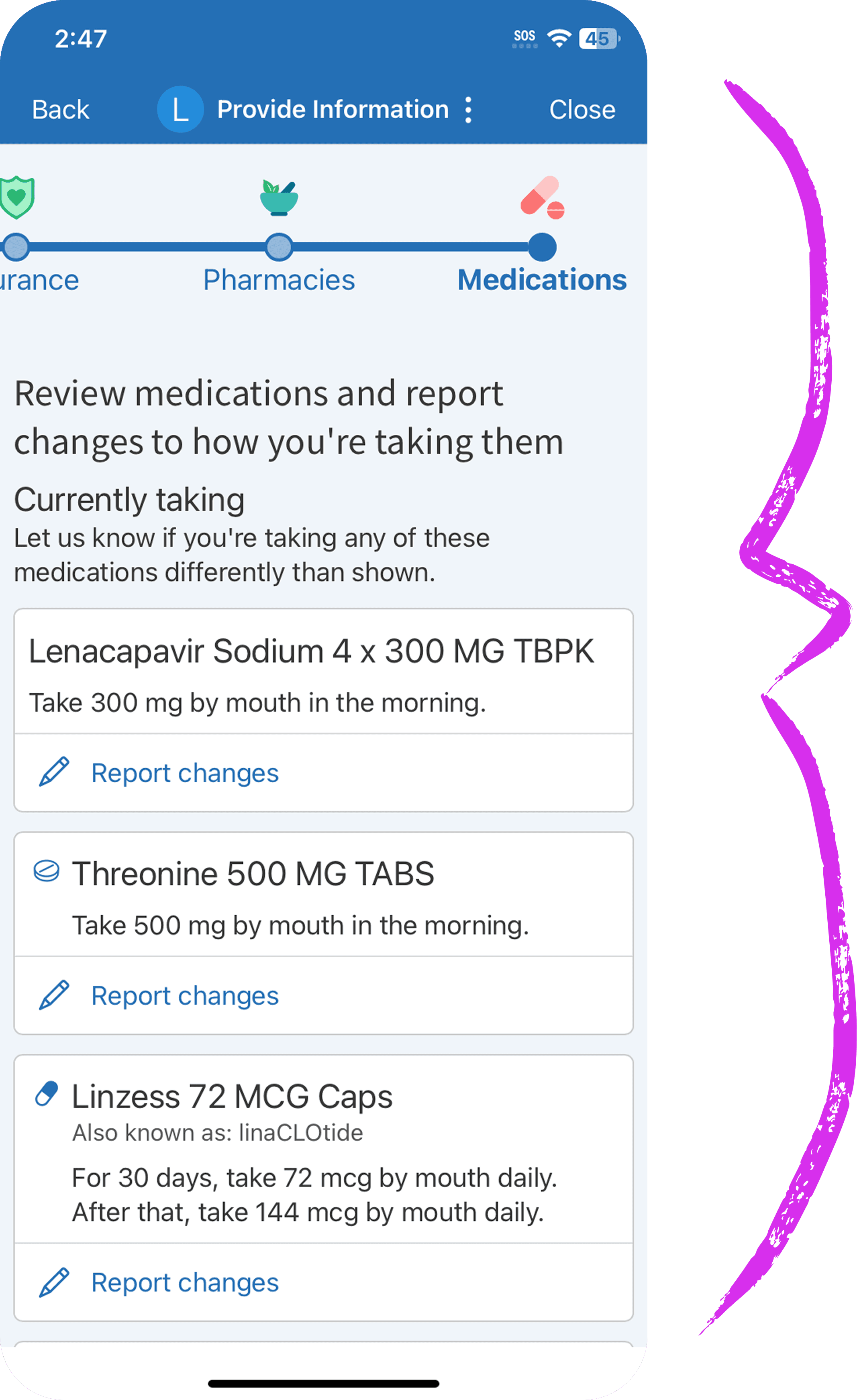
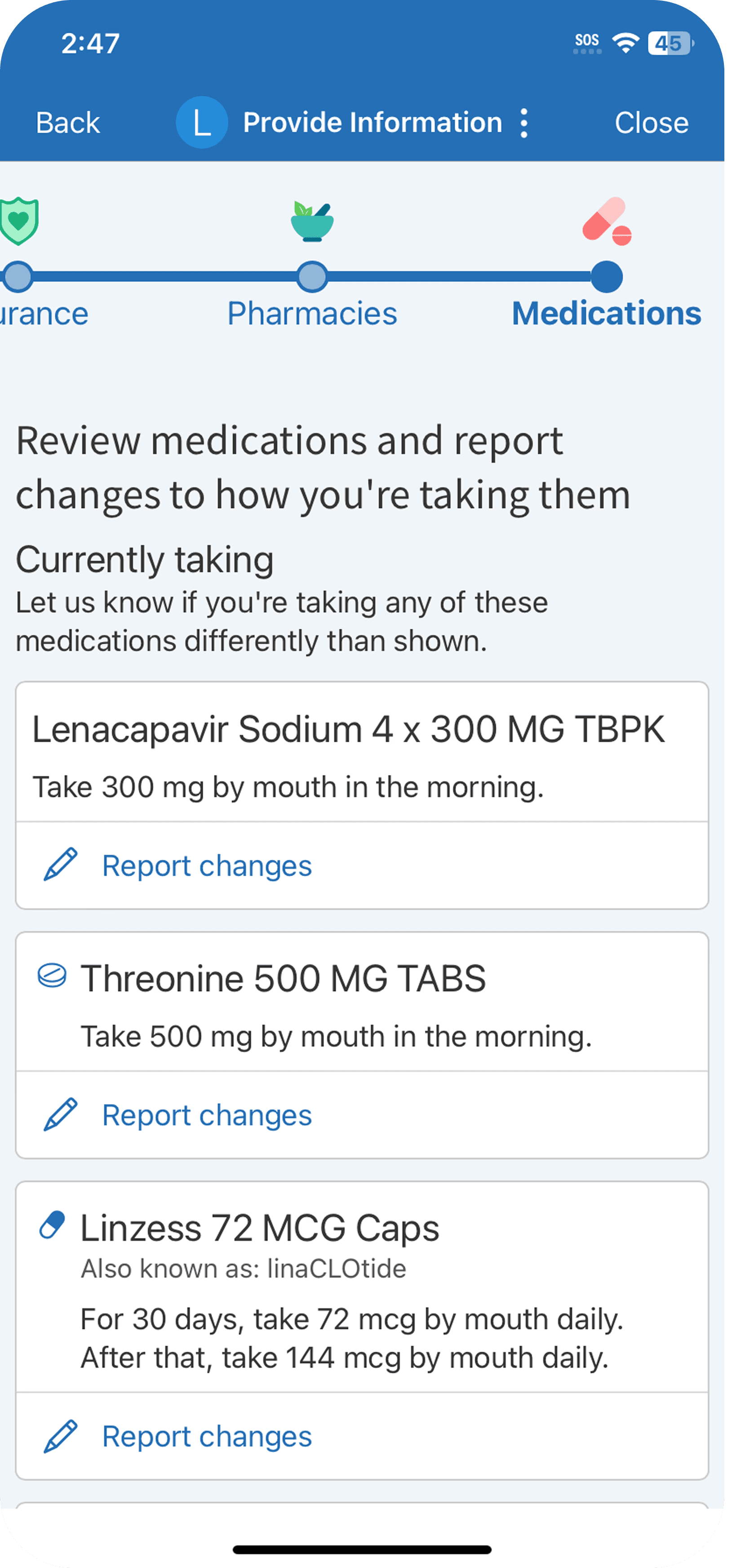
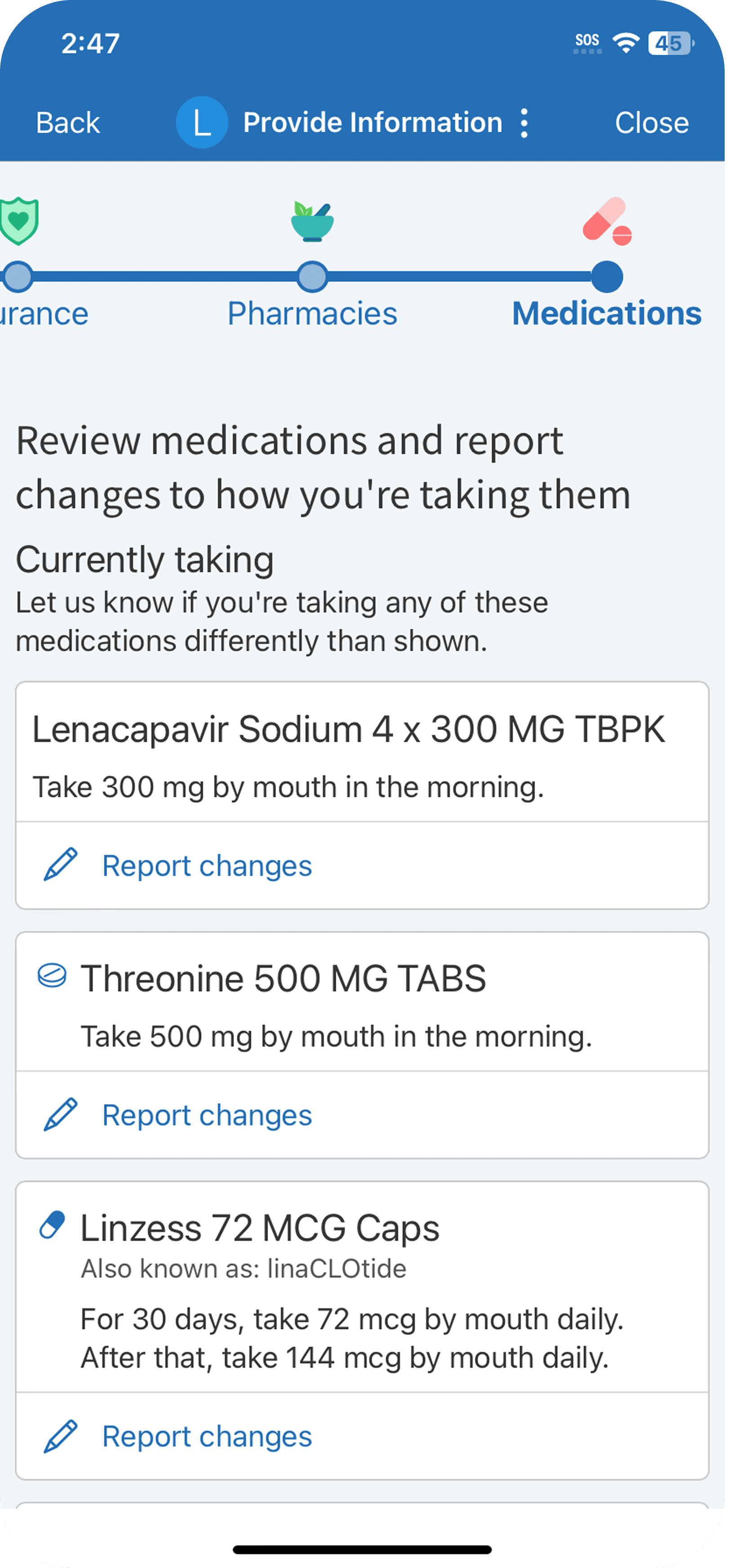
A streamlined layout

Simple cards allow patients to quickly scan the medications they have on file. Simplicity was key:

  • When information on the page is easy to read, a patient’s medication review is more accurate.

  • Patients are less likely to skip medication review when the process is made easy.

  • Patients who don’t have any changes simply need to click “Confirm.” We only introduce more complexity when a change needs to be made.
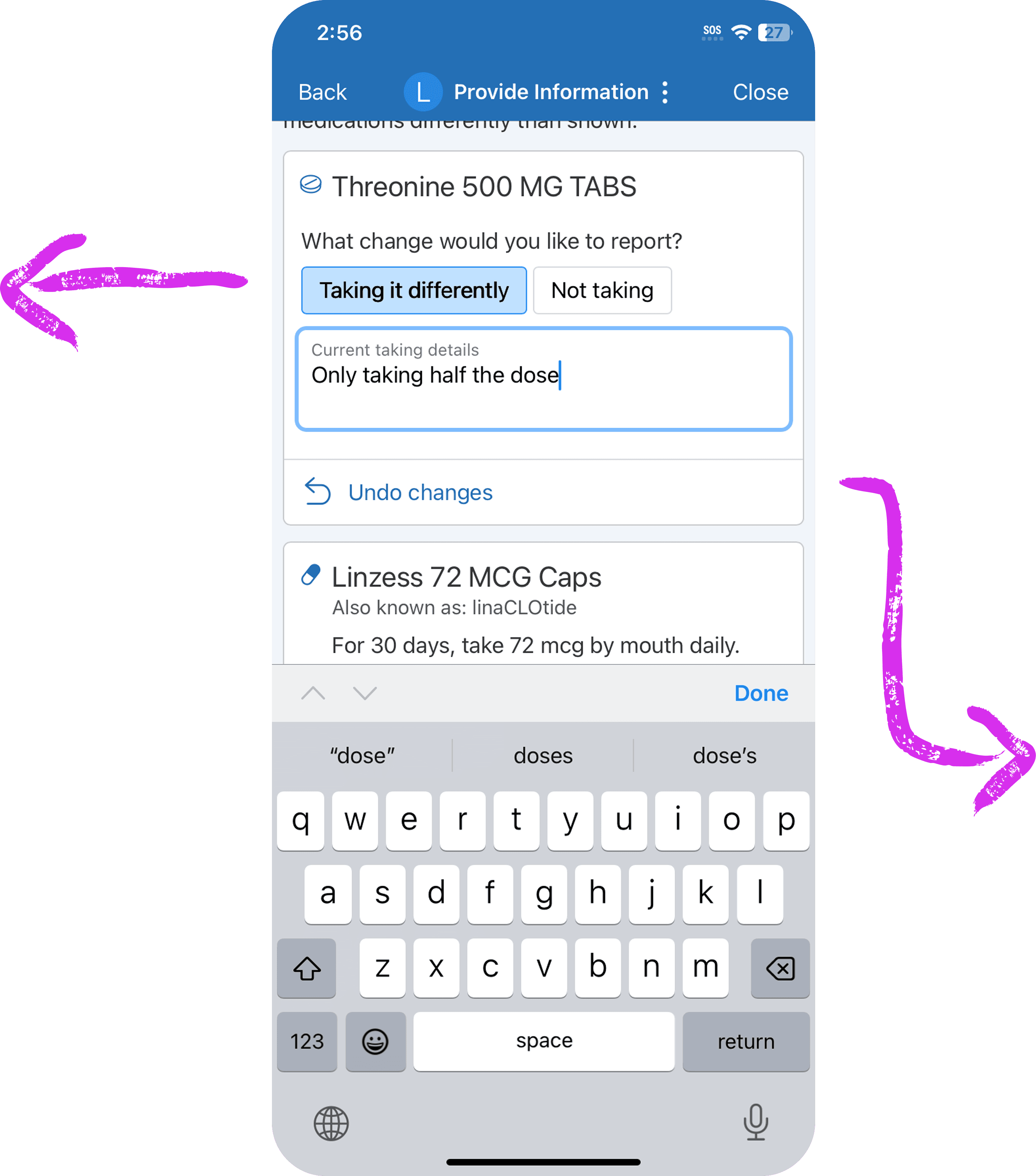
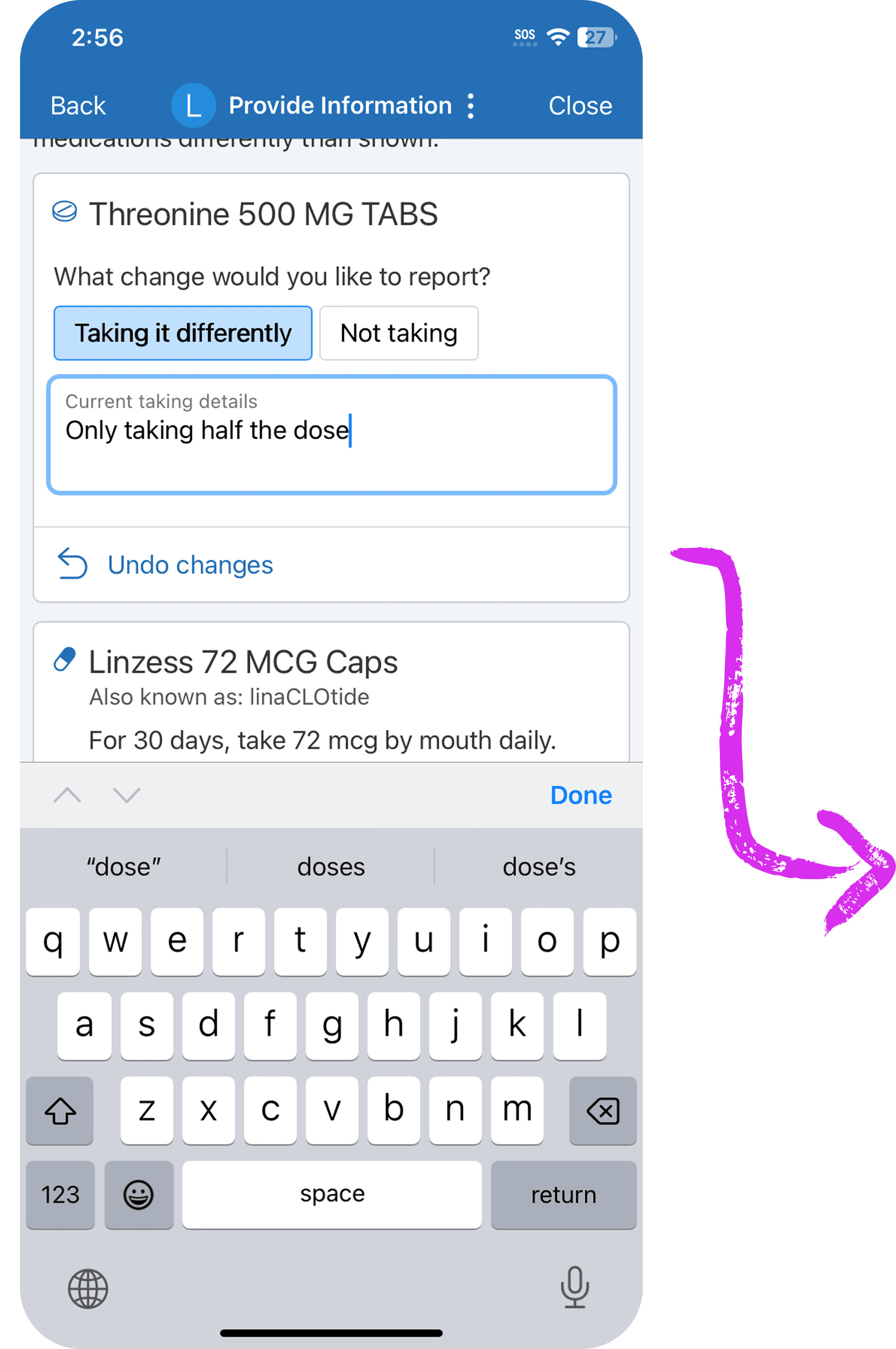
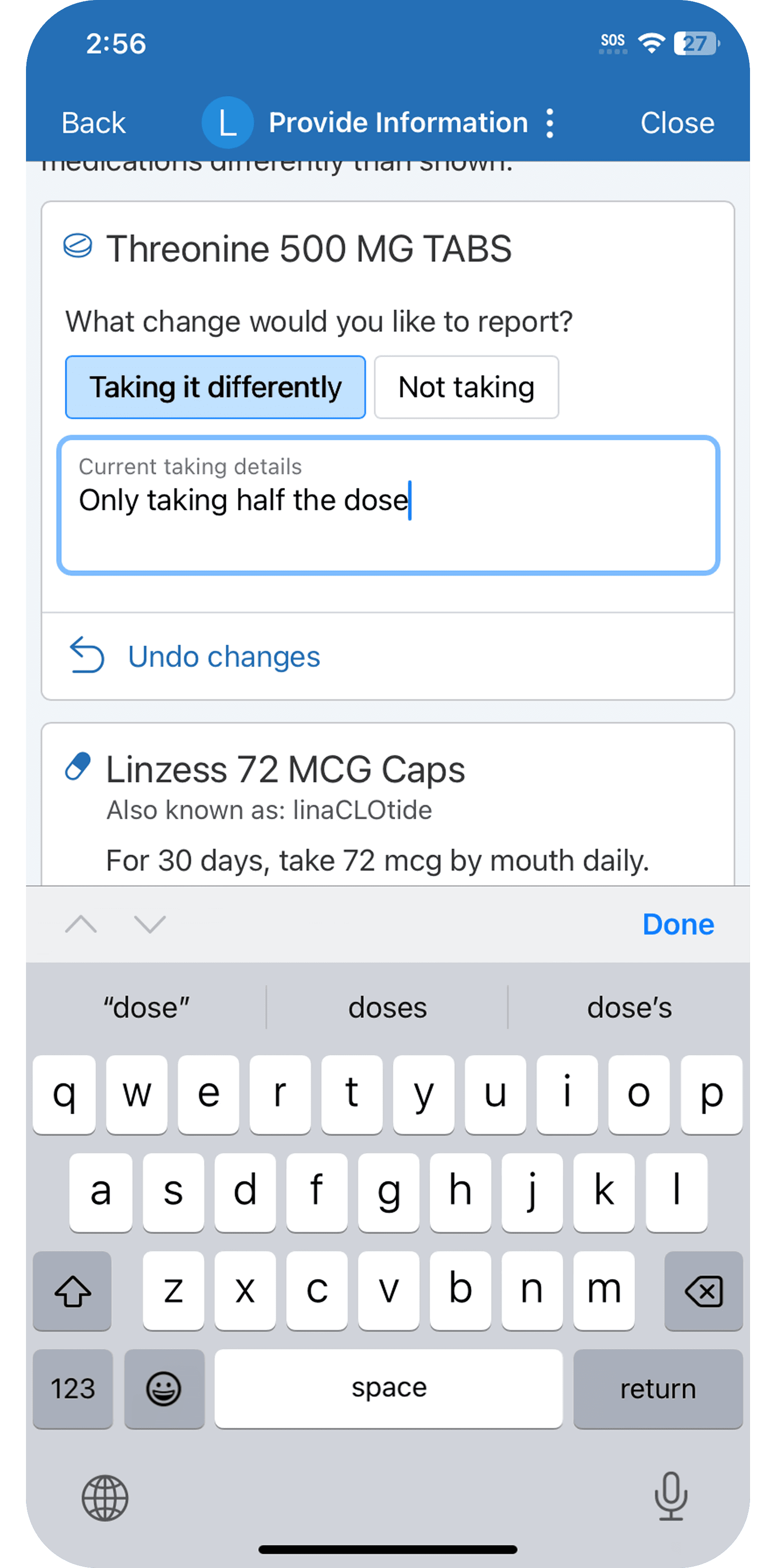
Indicating a medication change

Patients can easily indicate when they’re taking a medication differently than prescribed.

This new ability was crucial when aligning the MyChart medications step with in-clinic medication review. Many patients take less medication than prescribed due to cost, side effects, forgetfulness, and so on. It’s important that patients are able to report this to their medical team.

Patients can also report if they’ve stopped taking a medication.

Indicating a medication change

Patients can easily indicate when they’re taking a medication differently than prescribed.

This new ability was crucial when aligning the MyChart medications step with in-clinic medication review. Many patients take less medication than prescribed due to cost, side effects, forgetfulness, and so on. It’s important that patients are able to report this to their medical team.

Patients can also report if they’ve stopped taking a medication.

All changes are made within the card — no need to go to a new page.

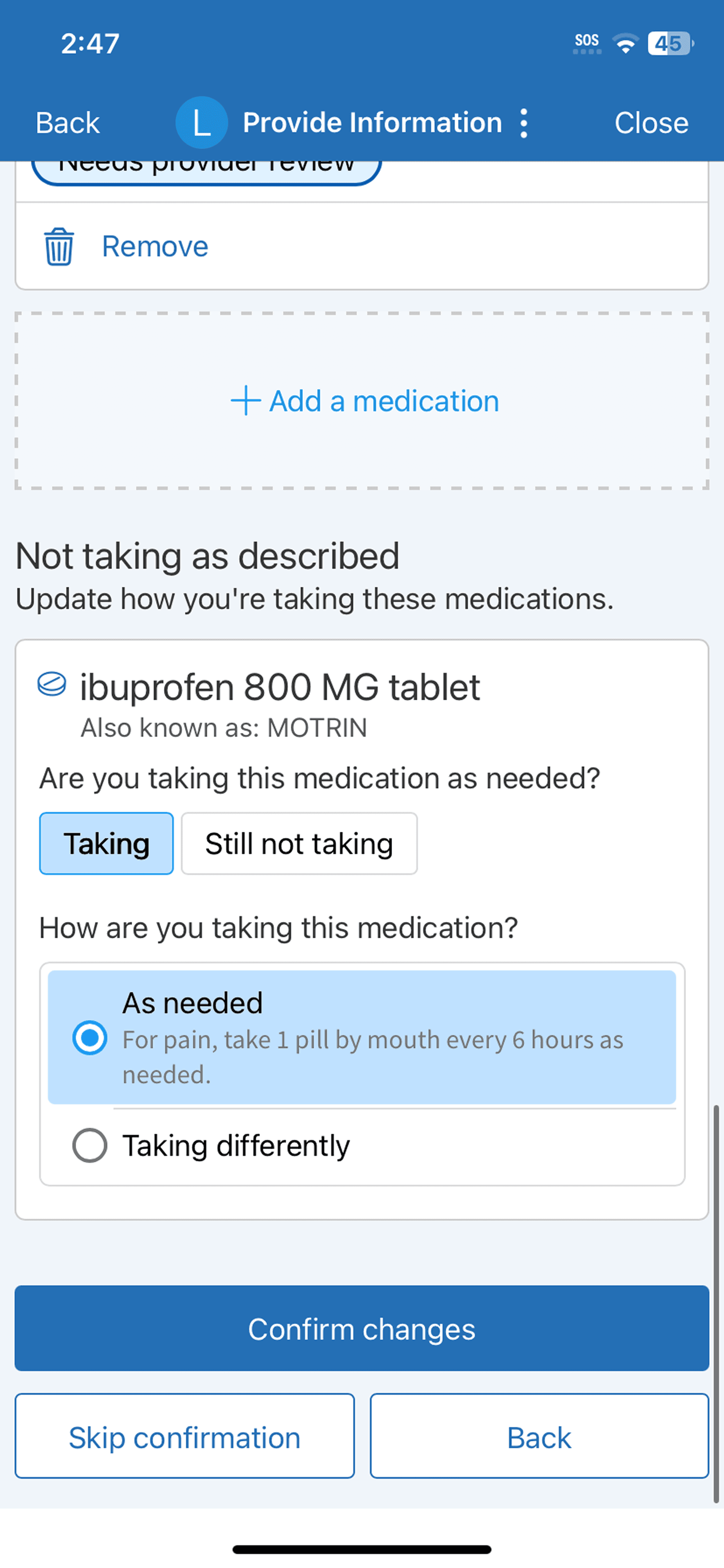
A separate section for medications with previous changes

If a patient previously reported that they’re not taking a medication, but it hasn’t been removed from their medication list by their provider, it will appear in a separate section at the bottom of the page.

If these medications were to appear in the main list, patients would think that their removal request had been forgotten or ignored. Putting those medications here avoids that problem.

Patients can also indicate if they begin taking the medication again.
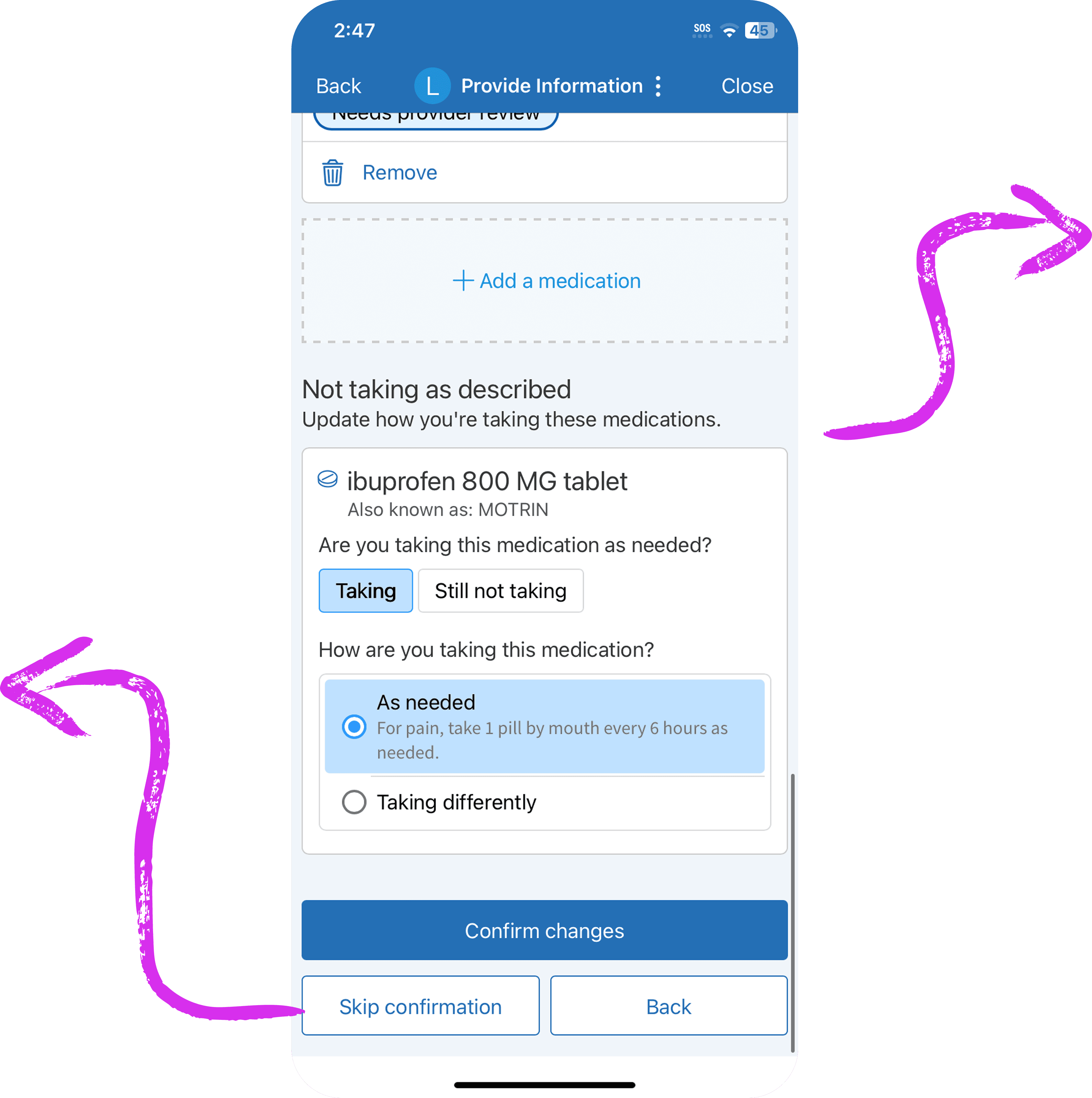
A separate section for medications with previous changes

If a patient previously reported that they’re not taking a medication, but it hasn’t been removed from their medication list by their provider, it will appear in a separate section at the bottom of the page.

If these medications were to appear in the main list, patients would think that their removal request had been forgotten or ignored. Putting those medications here avoids that problem.

Patients can also indicate if they begin taking the medication again.
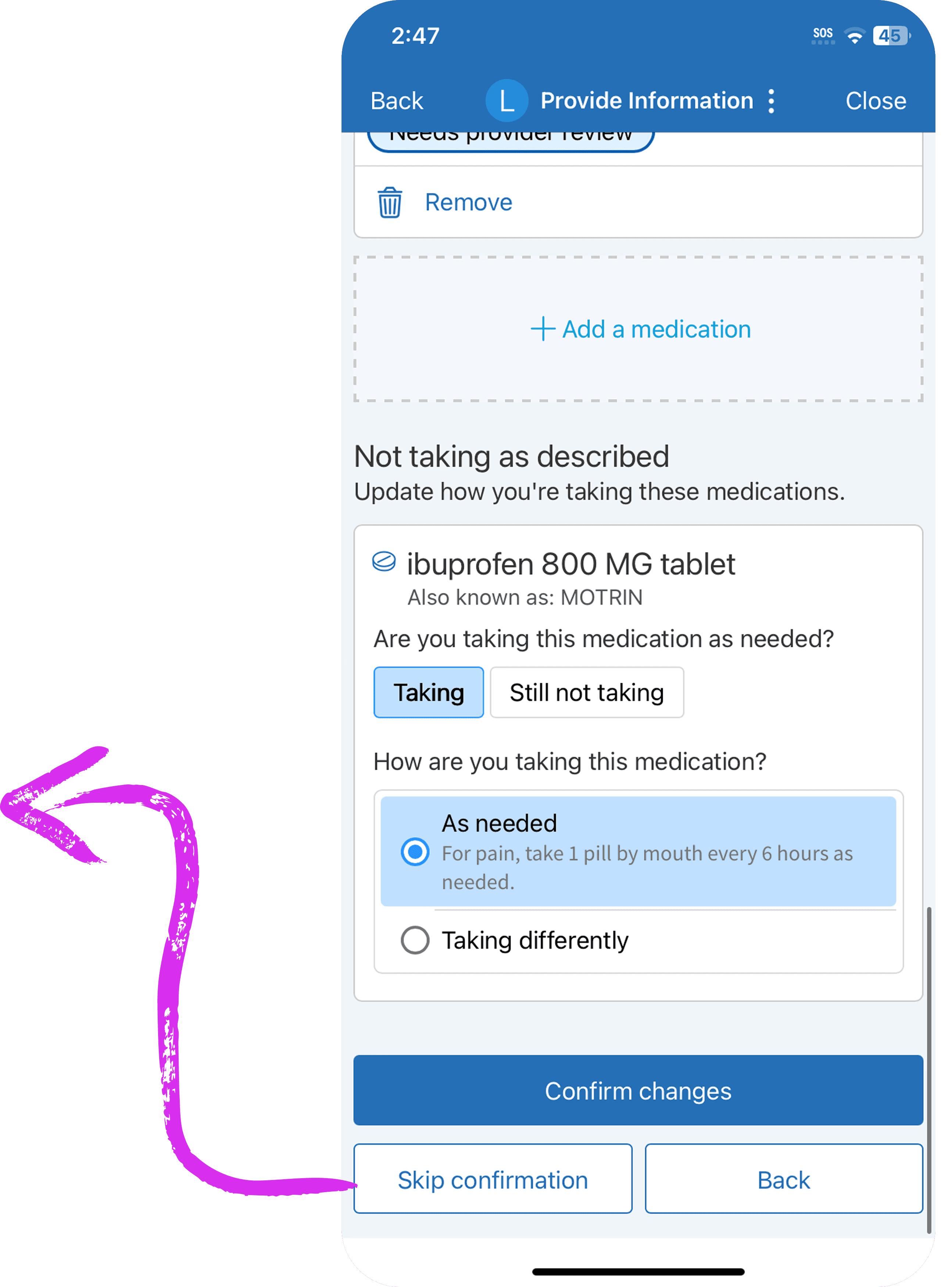
Patients can always choose to skip medication review.

What started out as a disjointed, duplicative process became a streamlined way for patients to communicate with their provider and save time at their appointments.